
As the vast majority of processes are run on a periodic basis, it is important to clear out the redundant data from previous periods to produce a clean and correct report. This article will subsequently outline how to build a process which clears out the redundant data from the previous day without threatening the data integrity of the managed tables.
1. Building the Date Tagging Process
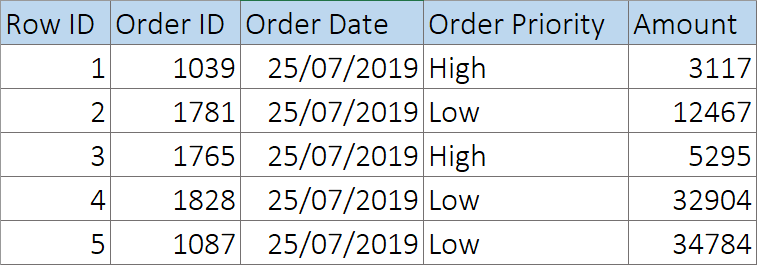
Suppose that we are building a process which processes the data in a sample input file to produce reports every day.
Snapshot of Sample Input
Configuring the Data Steps
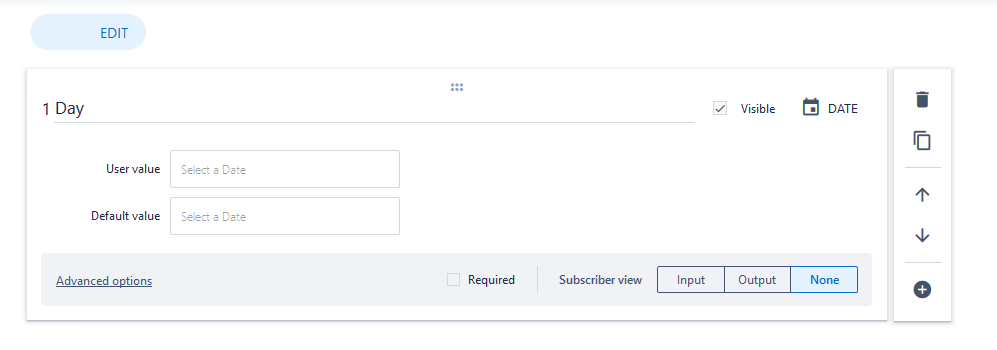
Edit the data step that contains the process inputs, and add a date property:
2. Building the Managed Tables
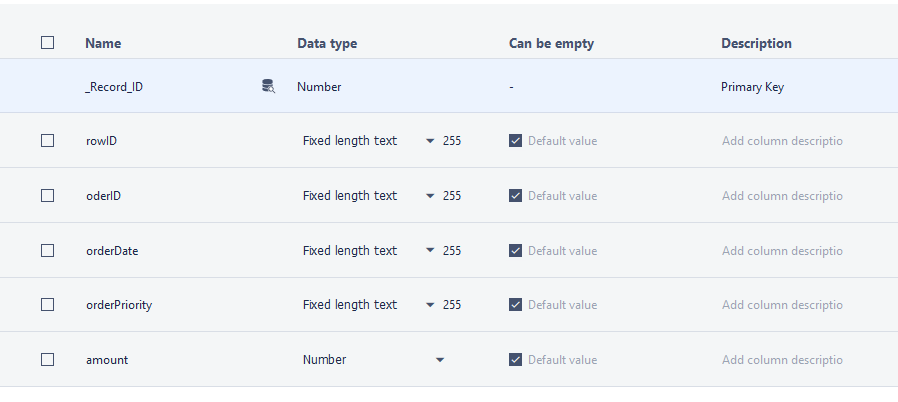
We must firstly create and name our managed table. Once we have completed this, we need to add the rows required to store the processed information. In the case of the sample input, we need to add fix rows along with their name and their data types:
3. Clearing Redundant Data
Many processes will need to be cleared before the start of a new reporting run to prevent data redundancy. This can be implemented in SolveXia by adding a Run query in SQL table instruction:
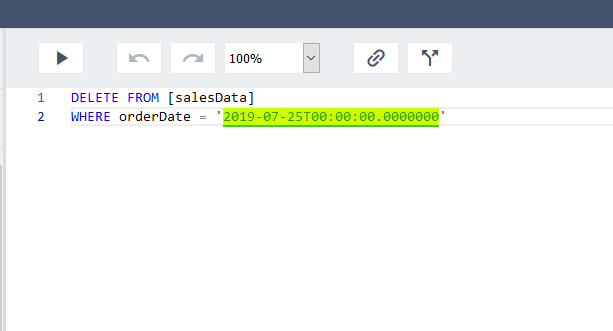
Note how the WHERE condition is linked to the date property we create in step 1.
4. Importing data into the SQL table
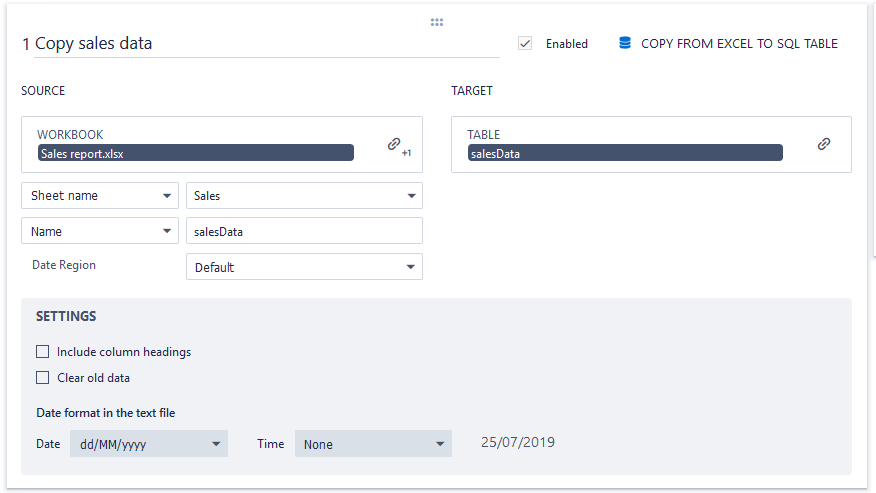
We need to create a step which populates the managed table with the data within the relevant spreadsheets.
Create a Copy from Excel to SQL tab and configure it to copy data from the report into the SQL table:
Comments
0 comments
Please sign in to leave a comment.