
When you open a process in SolveXia, it appears along the bottom of the screen as a series of steps and groups. This article walks through the basics of how a process is represented.
Walkthrough of steps and groups
1. A process is represented as a series of steps along the bottom of the designer view interface and starts at step 1.1 and then on to step 1.2 and so-on.
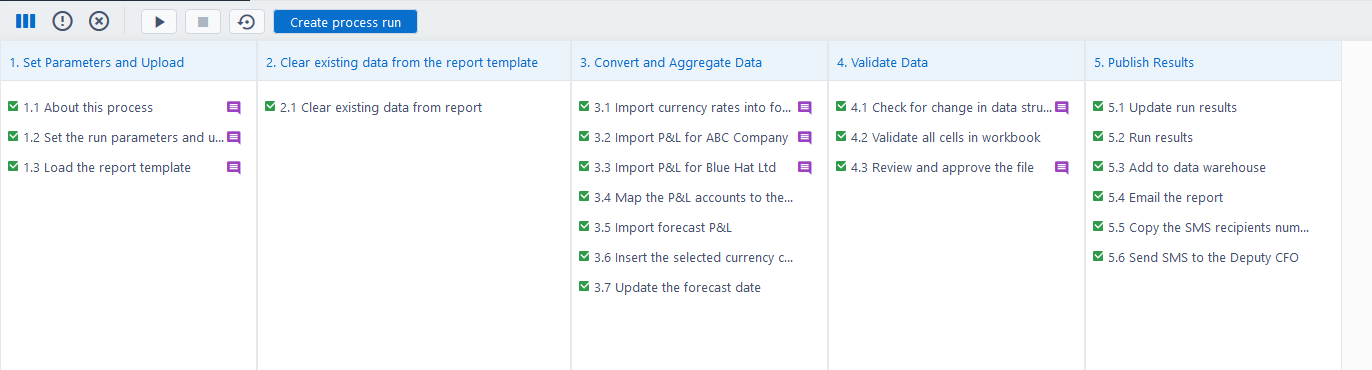
2. Each step can either be used to input data or do some kind of action (e.g. manipulate data, send an email etc.). You can get a sense of the purpose of each step by reading its name:
Example 1 - Step for inputting data:

Example 2 - Step for doing some kind of action:

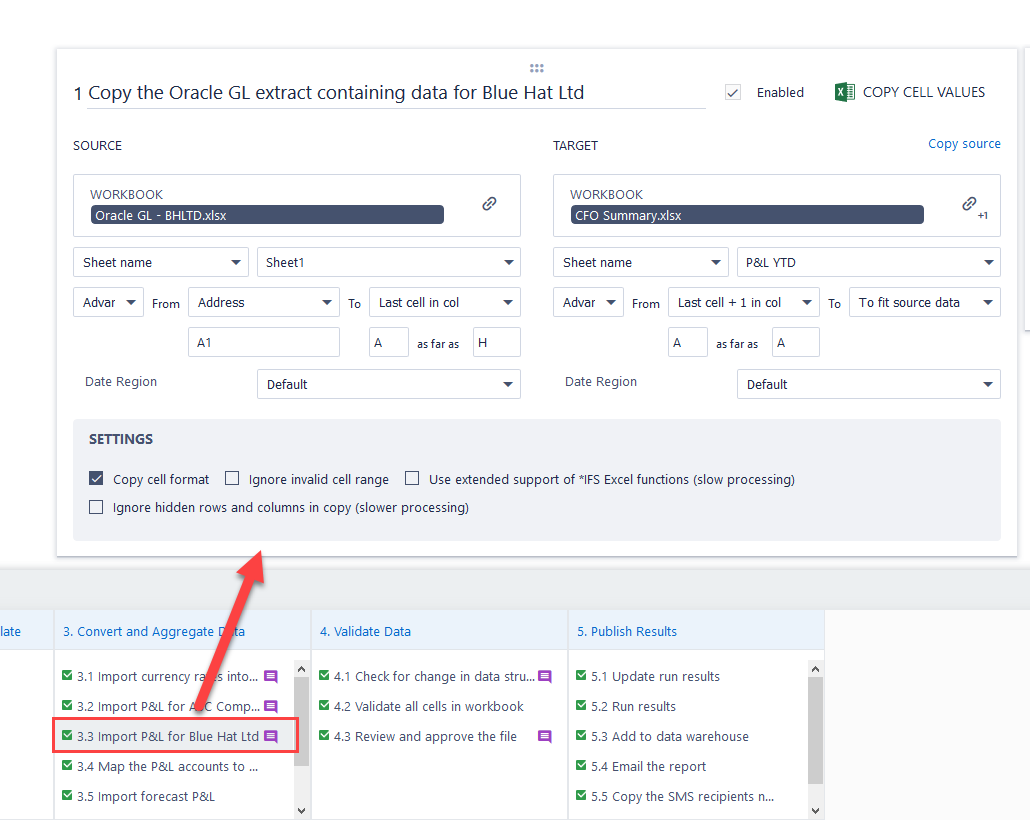
3. Click on a step to open it in the workspace:
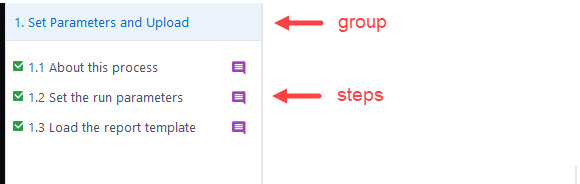
4. Steps are organised into groups to make the process easier to read and understand:
Tips and Tricks
By default, each step runs after the previous one has completed (this can be changed using the step dependencies).
Comments
0 comments
Please sign in to leave a comment.