
A data step is used to specify the information items that a process will be using, such as files, input parameters and output result values.
How to add a data step to the process
1. Open the process.
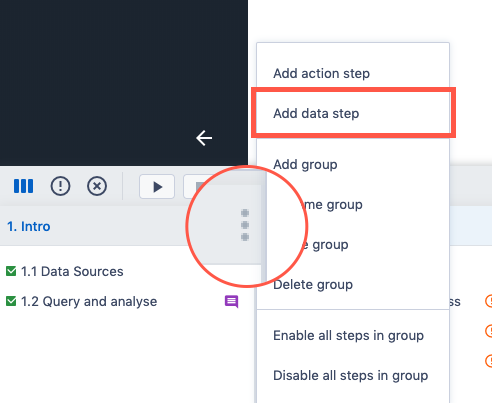
2. Hover the group you want to add an action step to and click on the menu icon.
3. Click Add data step...
4. A new data step will appear in the group and on the screen.
Comments
0 comments
Please sign in to leave a comment.