
System variables can be used to retrieve information such as the Username, Process name, Current date, etc. This data step property is not available for the end-users in Subscriber View, however, Designers can add system variables to their processes to make them more dynamic.
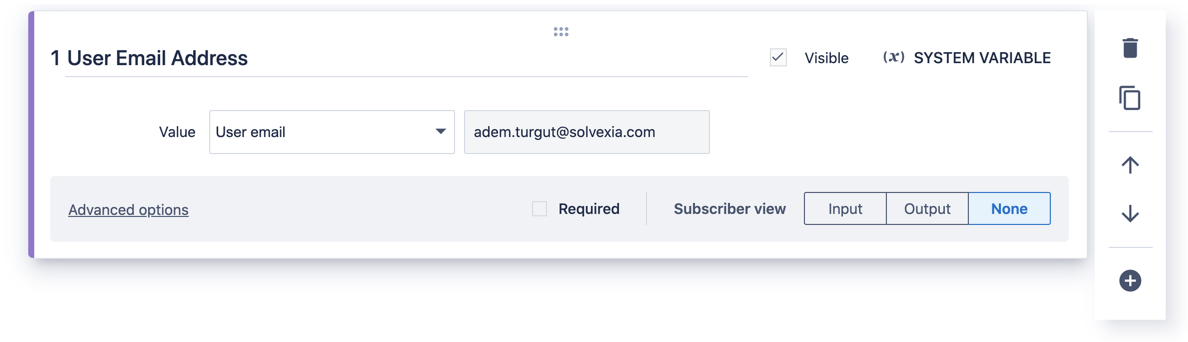
There are six types of system variables you can use in your process: Username, User id, Process id, Process name and Current date/time.
Username: Use this variable to retrieve the current username. For example it can be useful if you want to send an email with the username who started the process run.
User id: Use this variable to retrieve the current user id. This property can be used for audit purposes uniquely identifying users.
Process id: Use this variable to retrieve the current process id. This property can be used for audit purposes uniquely identifying processes.
Process name: Use this variable to retrieve the current process name.
Current date/time: Use this variable to retrieve the current date/time value.
User Email: Use this variable to retrieve the email address of the person running the process.
How to set up a system variable data step property
1. Open the process.
2. Open or create a new data step.
3. Add a System variable data step property.
4. Select the type of system variable you want to use.
5. Click Save.
Comments
0 comments
Please sign in to leave a comment.