
You can set default alerts on your process to automatically send an email or SMS whenever a it fails to run. This can be very useful for unsupervised processing - for example, if the process runs on a schedule.
How to set up process level alerts
1. Open the process.
2. Click on Properties in the left menu.
3. In the Parameters section find Alerts sub-section.
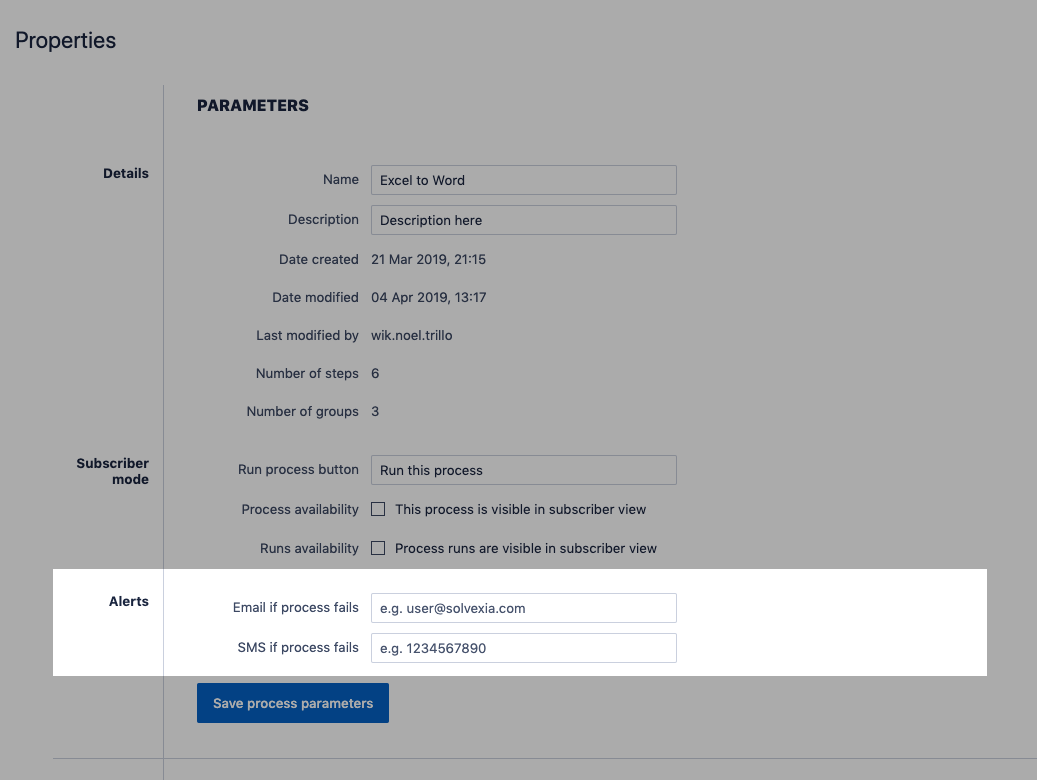
4. Supply a mobile number or email address of the person to be notified when the process fails to run.
5. Click Save process parameters. The next time your process runs, an SMS or email should automatically now be sent as soon as any step fails.
Tips and Tricks
The process may contain steps that you either expect to fail (such as a condition step that dictates the workflow of the process). For these types of steps, you most likely do NOT want to receive an alert on failure. To resolve this:
1. Open the specific step that you want to suppress the failure for.
2. Click More on the right top section.
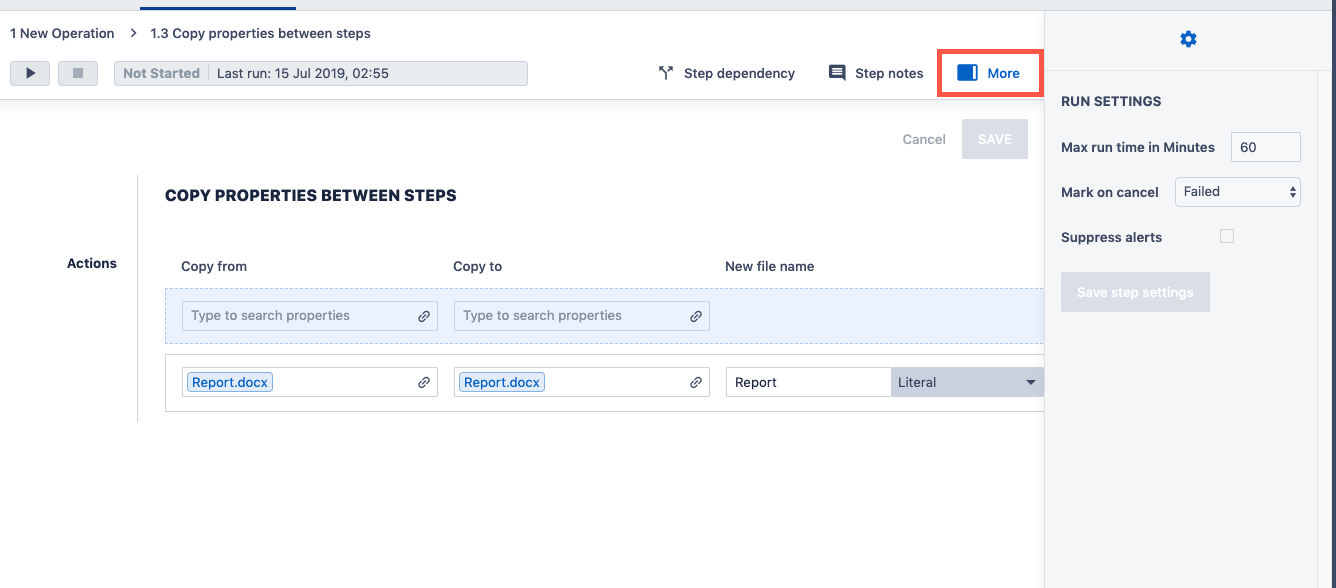
3. On the side panel tick the Suppress alerts option.
4. Click Save step settings.
Comments
0 comments
Please sign in to leave a comment.