
Occasionally, you may need to rearrange the ordering between steps and/or groups, during process design. Other times, you may need to copy a step/group.
Copy a Step
1. Open the process.
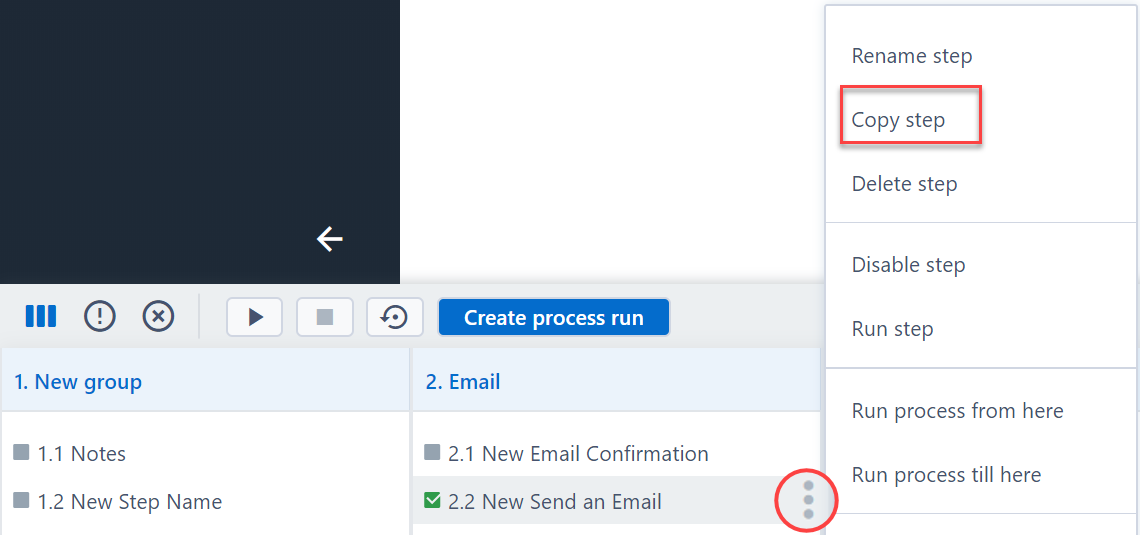
2. Click on the menu of the step you want to copy and select Copy step.
3. The newly cloned step will appear next to the initial one.
Move a Step
1. Open the process.
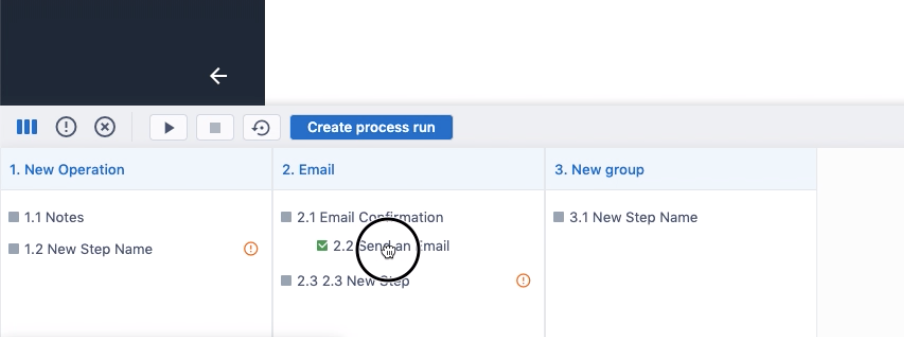
2. Select the step you want to move and drag it to the new place in the process (within the same group or to the new group).
Copy a Group
1. Open the process.
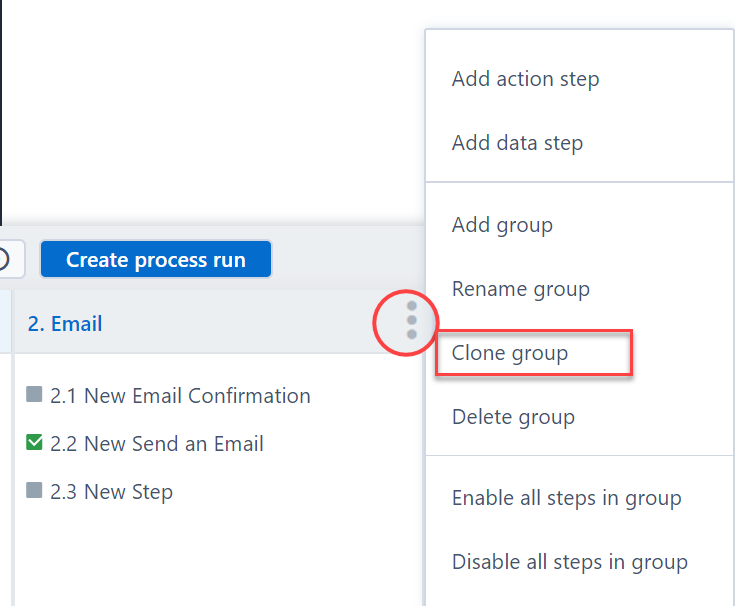
2. Click on the menu of the group you want to clone and select Clone group.
3. The copied group will appear in the process. This will also contain copies of each step in the original group.
Move a Group
1. Open the process.
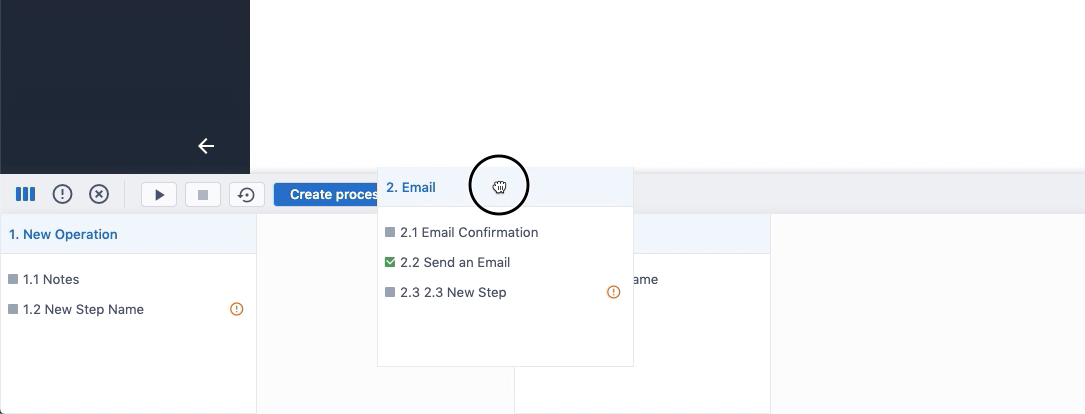
2. Select the group you want to move and drag it to the new place in the process.
Comments
0 comments
Please sign in to leave a comment.