
Steps are the "building blocks" of a SolveXia process, as it is simply a series of steps. And so, adding steps and groups (of steps) are pivotal in process design.
In this article, we'll go through how to add or delete a step or group in a SolveXia process.
Add a step
1. Open the process.
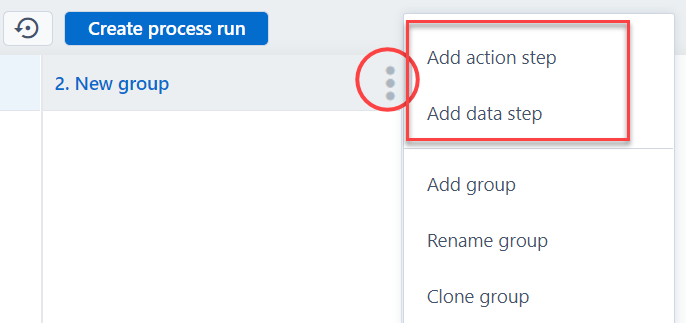
2. Click on the menu of one of the groups in the process and select Add data step or Add action step.
3. Click on the type of action step you want to add.
Delete a step
1. Open the process.
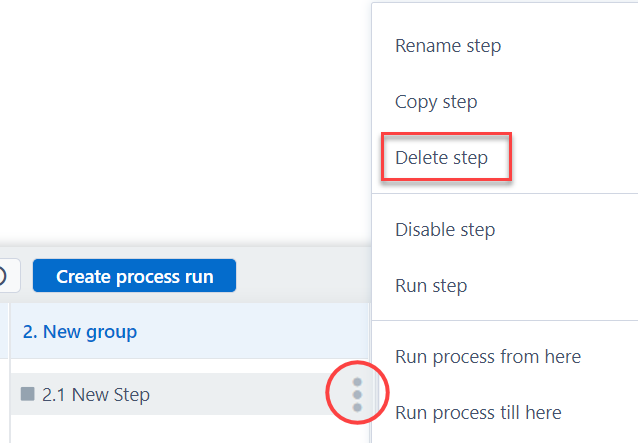
2. Click on the menu of the step you want to delete and select Delete step.
3. Confrim.
Add a group
1. Open the process.
2. Click on the menu of one of the groups in the process and select Add group.
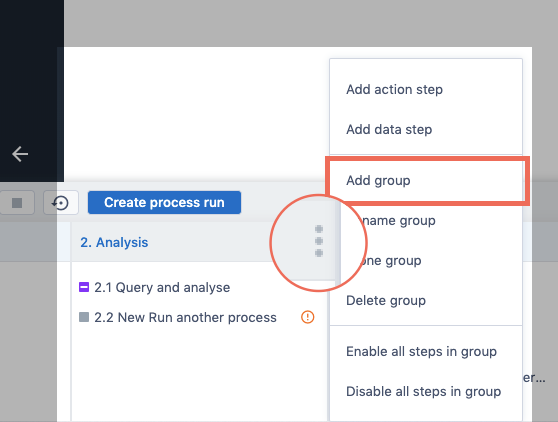
3. The group will appear in the process.
Delete a group
1. Open the process.
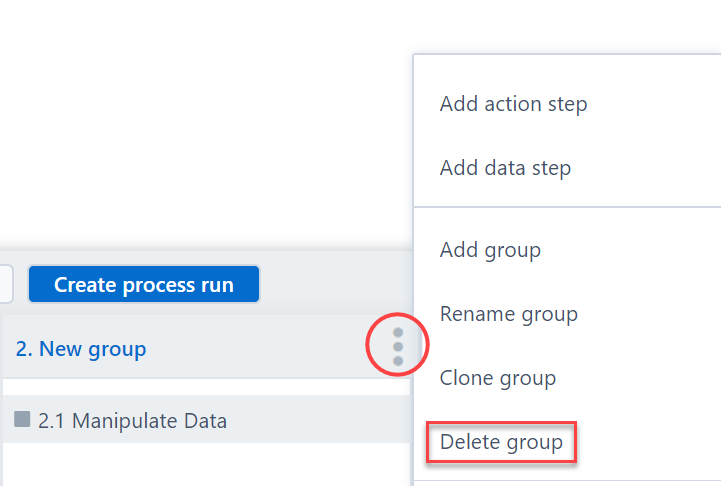
2. Click on the menu of one of the groups in the process and select Delete group.
3. Click Permanently delete group.
(Please note that this will also delete all the steps that are in the group)
Comments
0 comments
Please sign in to leave a comment.