
You can easily delete one or multiple columns from a managed table. This can be done while editing the managed table. Important: This action will also delete data in the deleted columns and is can't be undone.
Steps-by-step instructions:
1. Open the managed table (see how).
2. Tick checkboxes next to the columns you want to delete.
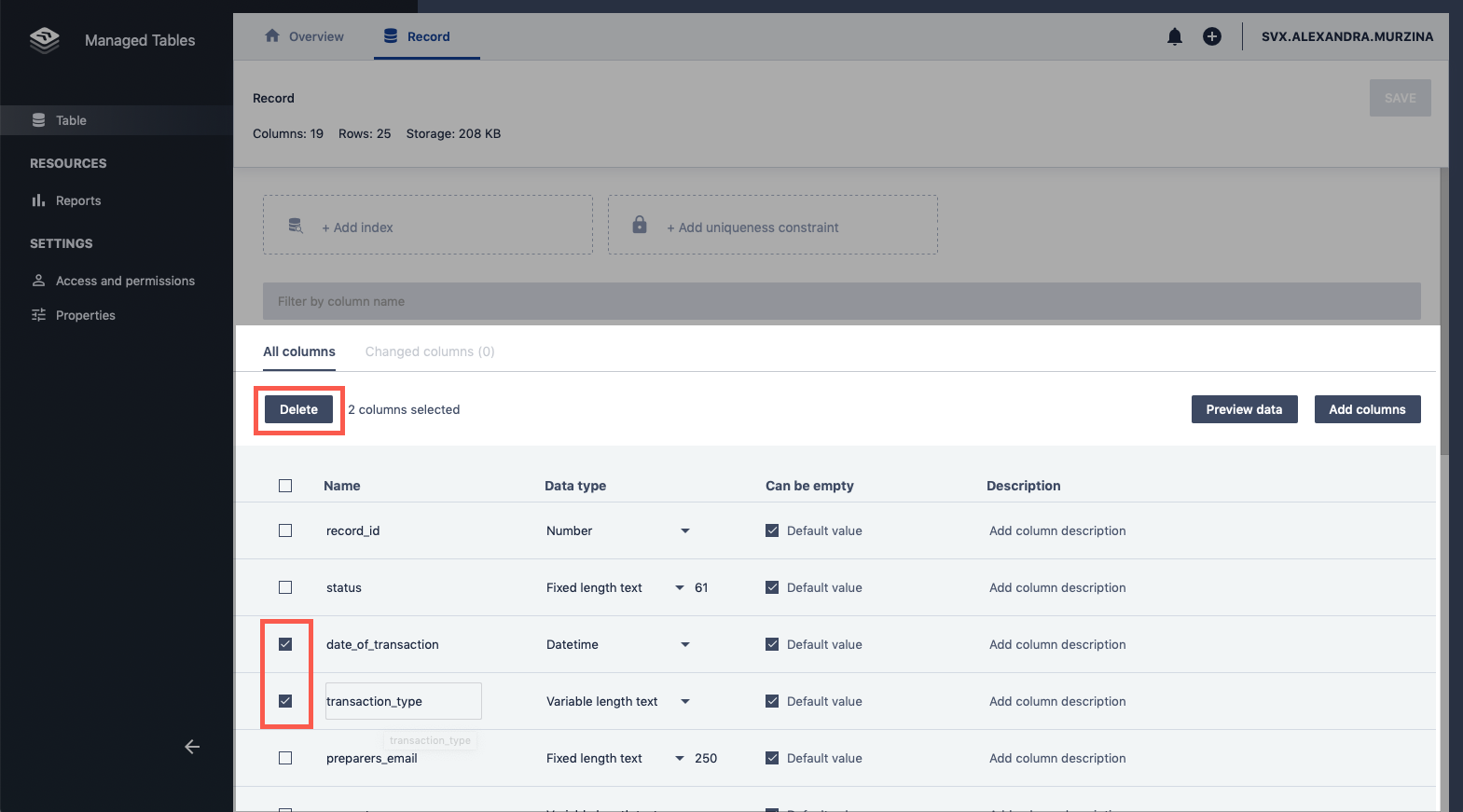
3. Click Delete. Columns will appear in red, indicating that when you click Save, they are going to be removed from the table.
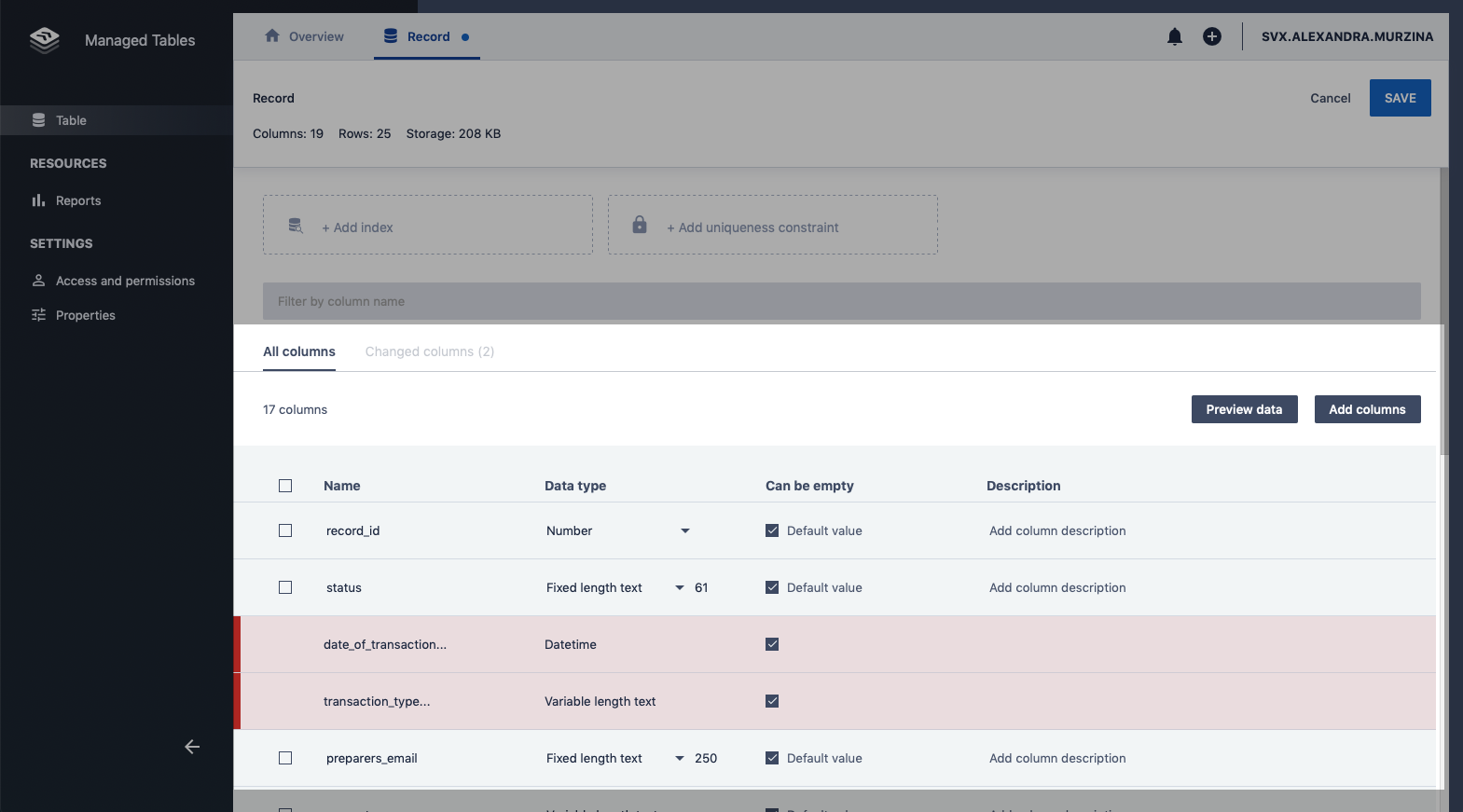
4. Click Save to apply changes.
Note: the data stored in these columns will also be deleted.
Comments
0 comments
Please sign in to leave a comment.