
In SolveXia Admin you can manage your organisation members profiles. To do that:
1. Open SolveXia Admin.
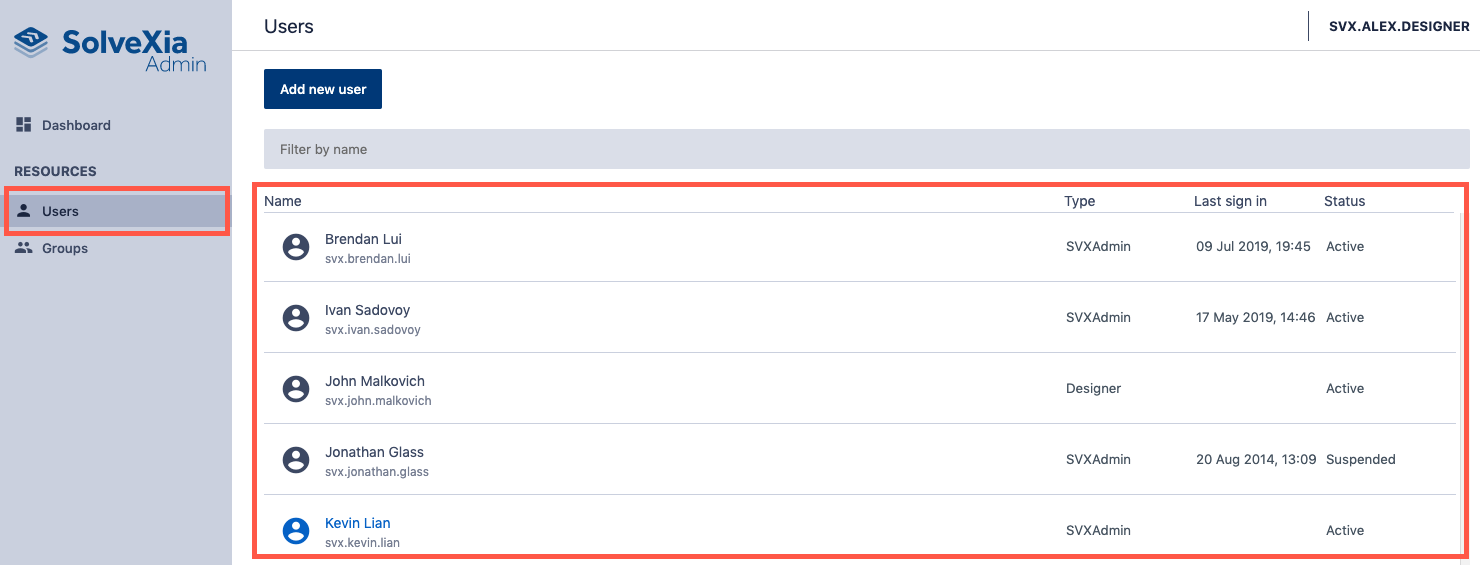
2. Navigate to Users page from the menu on the left.
3. Select the user from the list you want to manage.
How to change user settings
1. Update user profile details.
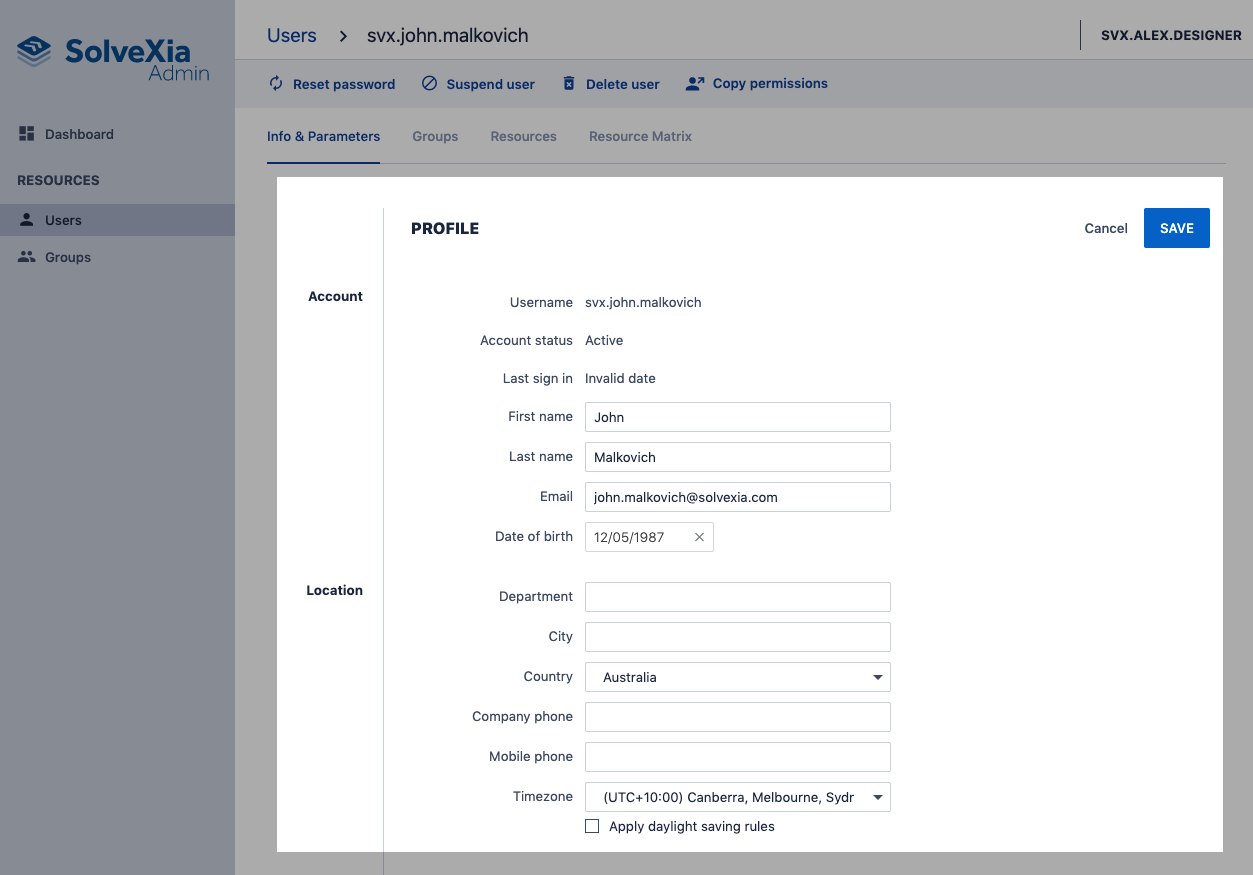
2. Click Save.
How to reset user password
1. Click Reset password.
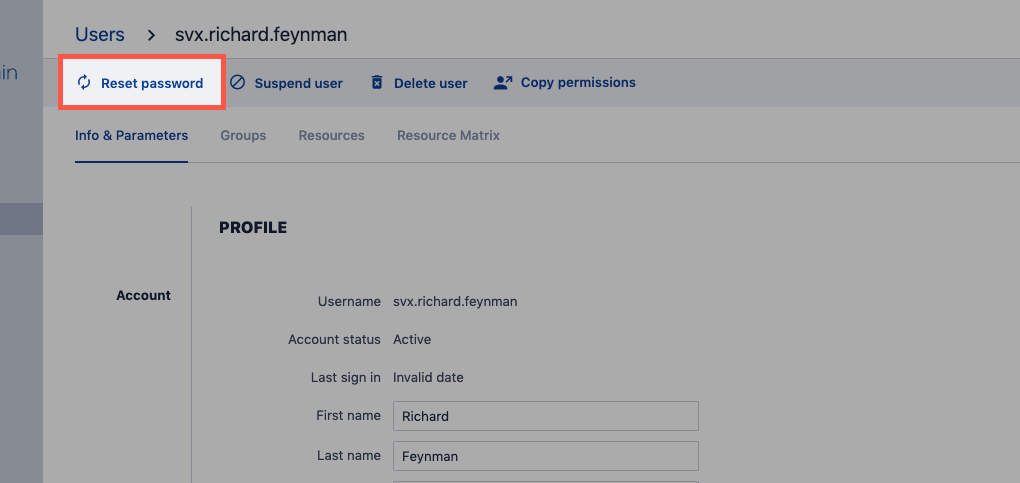
2. Enter new password.
3. Click Reset password.
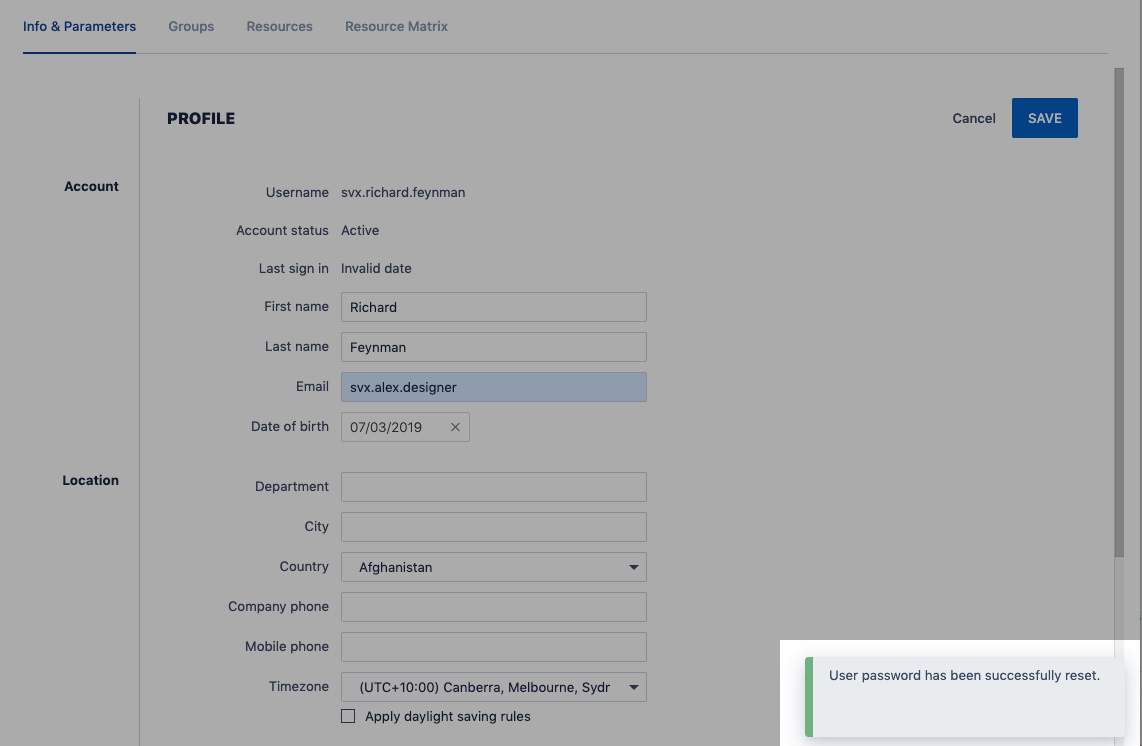
4. If success you will see a notification.
Comments
0 comments
Please sign in to leave a comment.