
In SolveXia Admin you can copy permissions from one user to another. To do that:
1. Open SolveXia Admin.
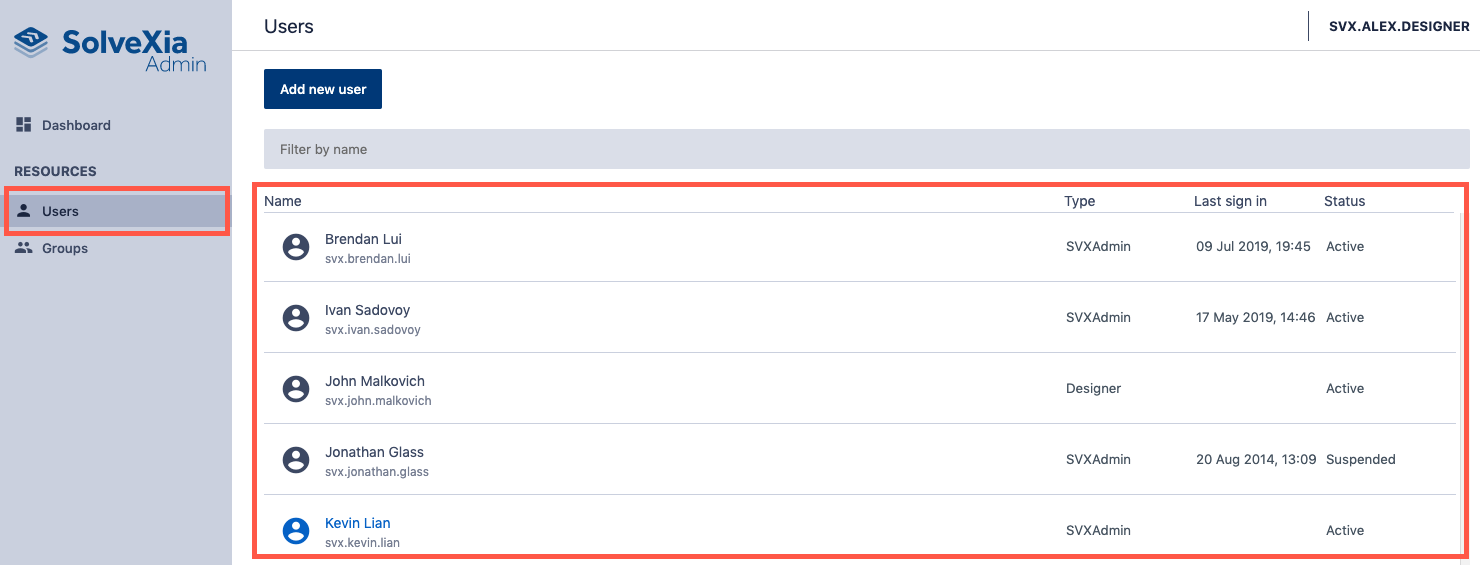
2. Navigate to Users page from the menu on the left.
3. Select the user from the list that holds permissions you want to copy.
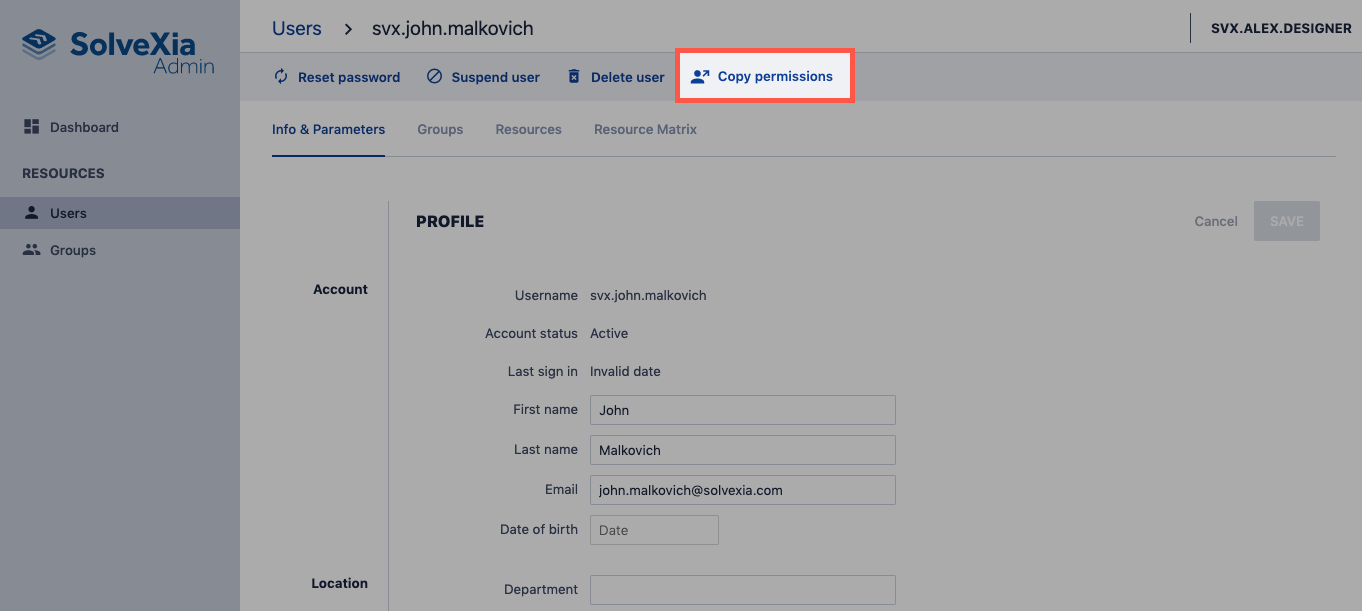
4. Click Copy permissions.
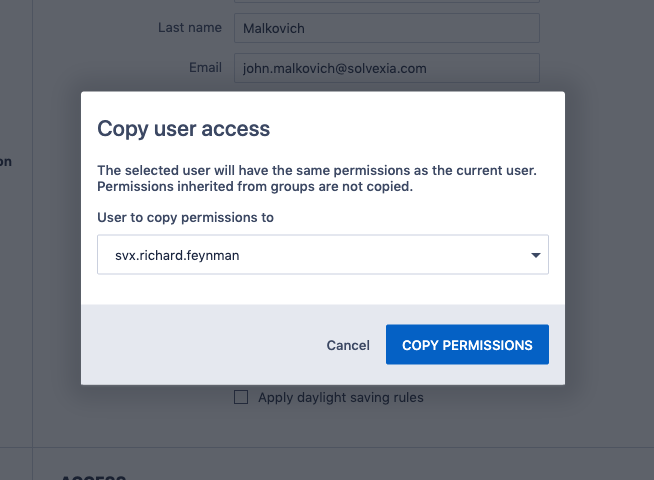
5. Select the user you want to copy permissions to.
6. Click Copy permissions to confirm.
Comments
0 comments
Please sign in to leave a comment.