
The Select from Managed table to Text/CSV instruction allows a user to query managed tables and export the results to a text (txt or csv) file.
This step is useful for exporting managed table data for consumption in other external systems and processes.
Step-by-step guide
- Create a "Manipulate data" action step.
- Search for "Select from Managed table" instruction and select "Select from Managed table to Text/CSV"
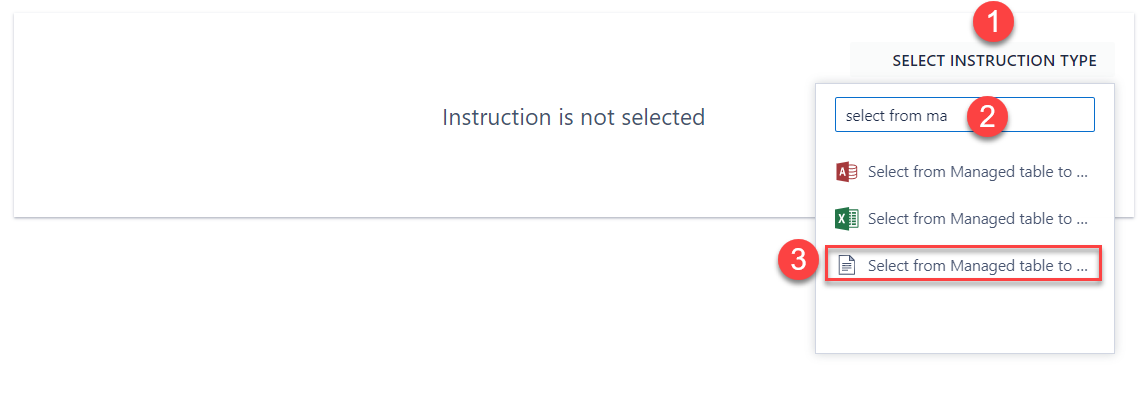
- Configure the details for the instruction:
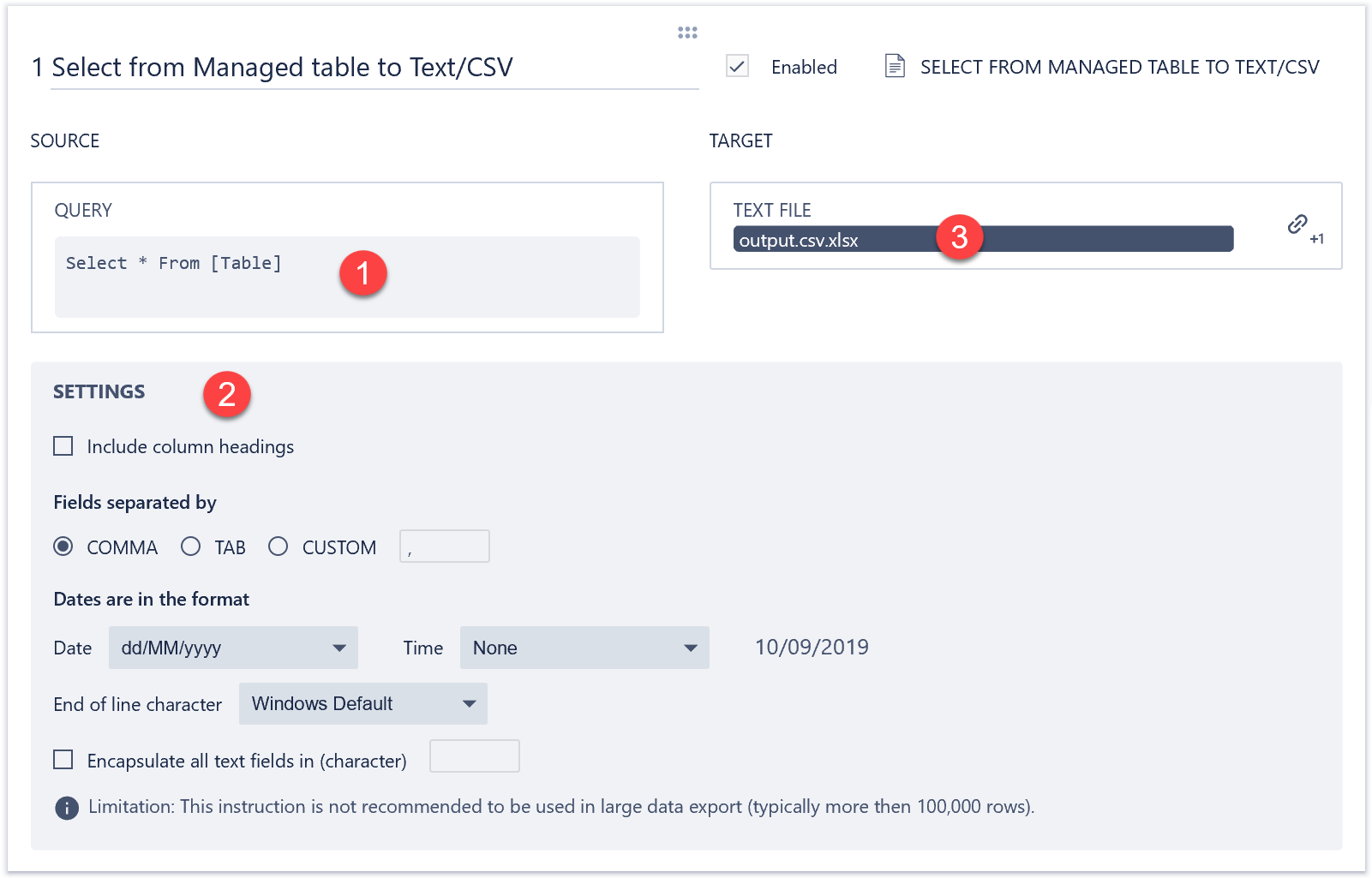
- Input the SQL query according to the guidelines here.
- Select the parameters for the output including:
- The delimiter, e.g. comma, tab or custom.
- Date data format
- End of line character (default is usually sufficient)
- Whether to encapsulate all text fields in a given character (double quotes by default)
- Whether to include column headings in the output.
- Link a text file stored in a data step property in a SolveXia process.
Comments
0 comments
Please sign in to leave a comment.