
The SolveXia Subscriber View allows users to run processes and view reports via a simple, intuitive interface. This article explains how you can make processes available in Subscriber View.
Before Getting Started
Please ensure that you have access to a process in Designer View. Here are some helpful articles which may be relevant:
Step-by-step guide
1. Find the process that you want to make available to subscribers or create a new process.
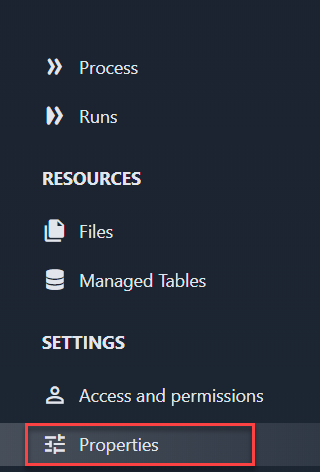
2. Click on Properties in the sidebar
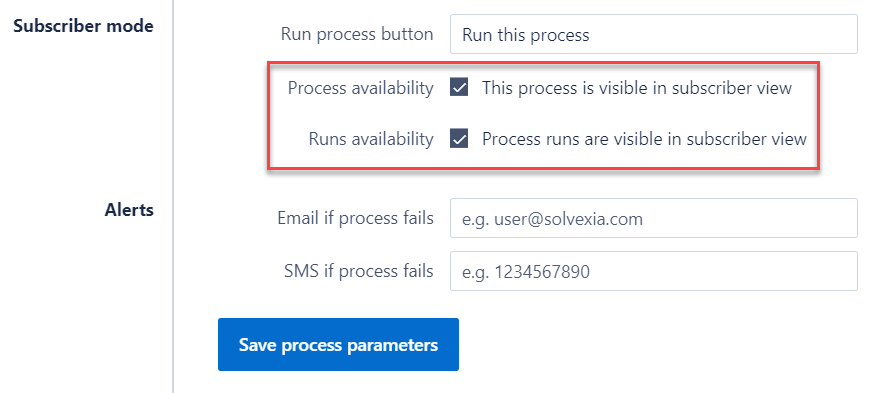
4. In the dialogue box that appears, tick the box next to ‘Process availability’. Also, tick "Run availability" if you wish Subscriber users to also see the process runs that have been made.
5. Click "Save process parameters".
Next, learn how to configure data step properties so that they appear as inputs or outputs in Subscriber view: Click here
Video Walkthrough: Watch Here
Comments
0 comments
Please sign in to leave a comment.