
Action steps are the "doing" steps in SolveXia. They contain all of the automation for your process and can be separated into 4 logical groups:
Communication: Choose these steps if you want to sending emails and email approvals, SMS, get or send data from SFTP servers.
Manipulating data: Choose these steps if you want to edit files and manipulate data in your files or tables (including calculations).
Third-party tools: Choose these steps if you want to run an executable files or perform complex calculation models.
Process controls: Choose these steps if you want to control the flow of your process by triggering runs in another process.
Learn more about types of SolveXia action steps.
How to add an action step to the process:
1. Open your process.
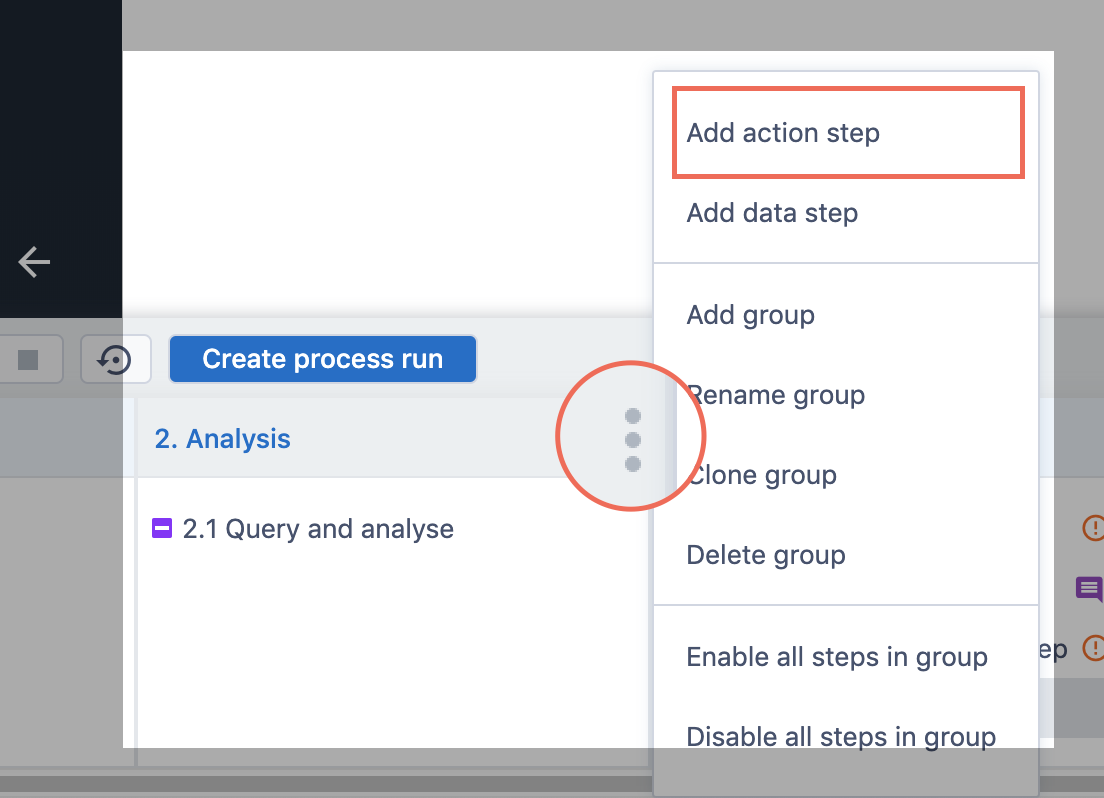
2. Hover the group you want to add an action step to and click on the menu icon.
3. Click Add action step...
4. Choose the type of action step you want and click on it.
5. The new step will appear in the group.
Comments
0 comments
Please sign in to leave a comment.