
In SolveXia, there are various instructions that are able to be linked to multiple files simultaneously.
In order to determine whether any given instruction is able to be linked to multiple files simultaneously, simply check whether there exists a '+1' icon (shown below):
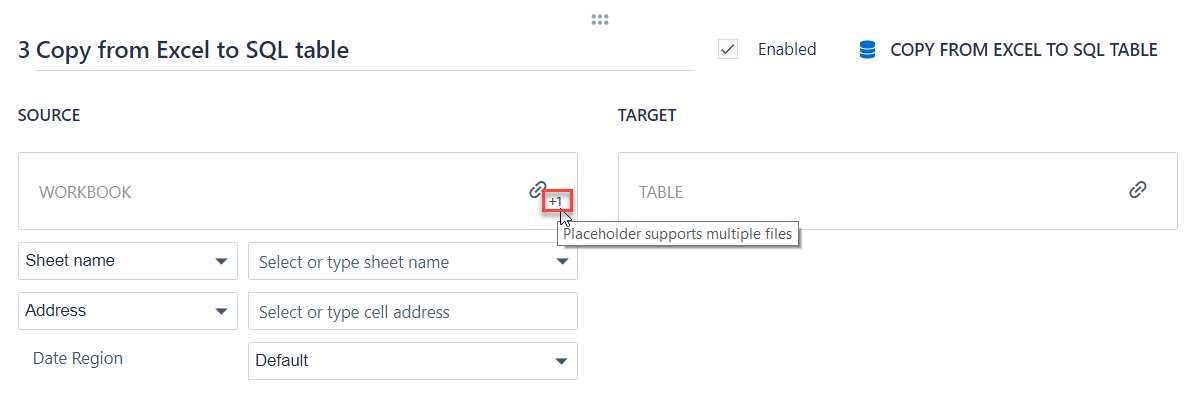
Example
The example below shows that the Copy from Excel to SQL table instruction is able to be linked to multiple Excel files (as the source):
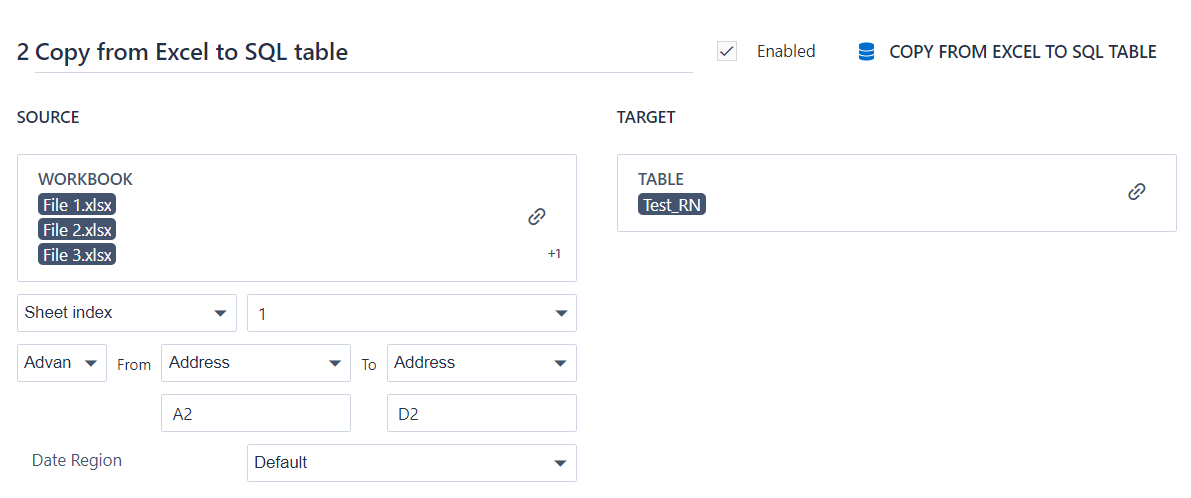
Alternatively, you can also link a .zip file that contains multiple Excel or text files (as the source):
- Note: To link a zip file, you need to click the link button and find the desired zip file from the pop-up window. You won't be able to link the file by typing the name of the zip in the linking box.
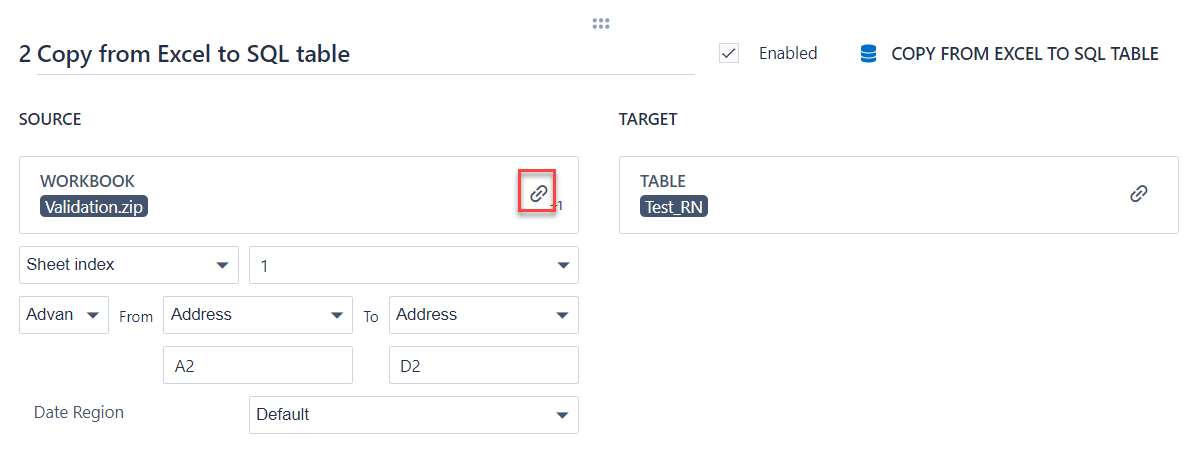
Linking to a .zip file is particularly useful when the number of files to be uploaded on each process run varies.
Comments
0 comments
Please sign in to leave a comment.