
This article will explain how to get a process to send email messages to recipients that you choose when it is running. Common uses for this feature include:
- having the process send the results of the process to team members or other teams that consume the results
- having the process send start and finish messages, which helps kept stakeholders informed
- having the process send interim results during the execution of the process, particularly long running processes
This is achieved by adding an action step to the process while in design mode. The step type is called “Send an email”. To do this please follow the steps below:
Step-by-step guide
- Open the process you wish to add the email step to (you can read about this here).
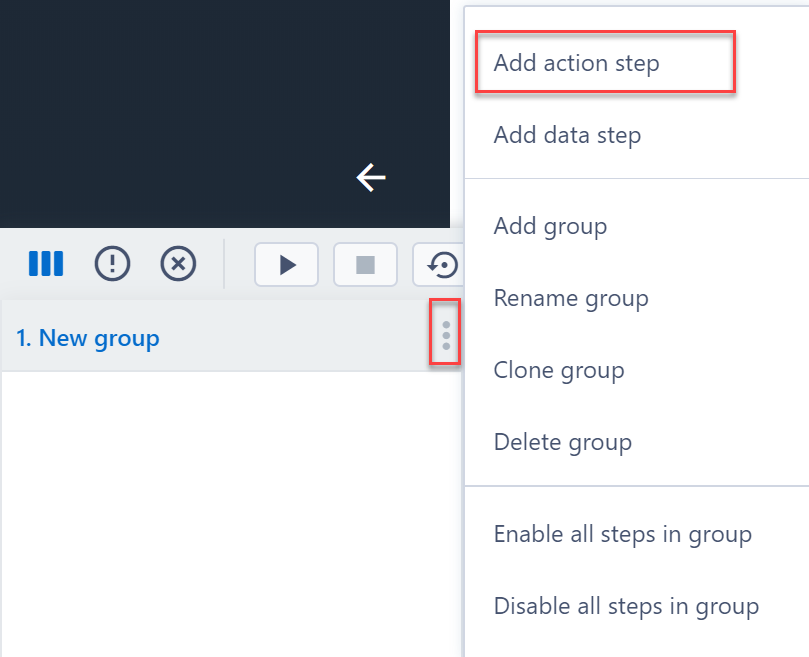
- Click on the 3 dots to the right of an operation group.
- Click “Add action step”, this will open a “Choose an action step” window
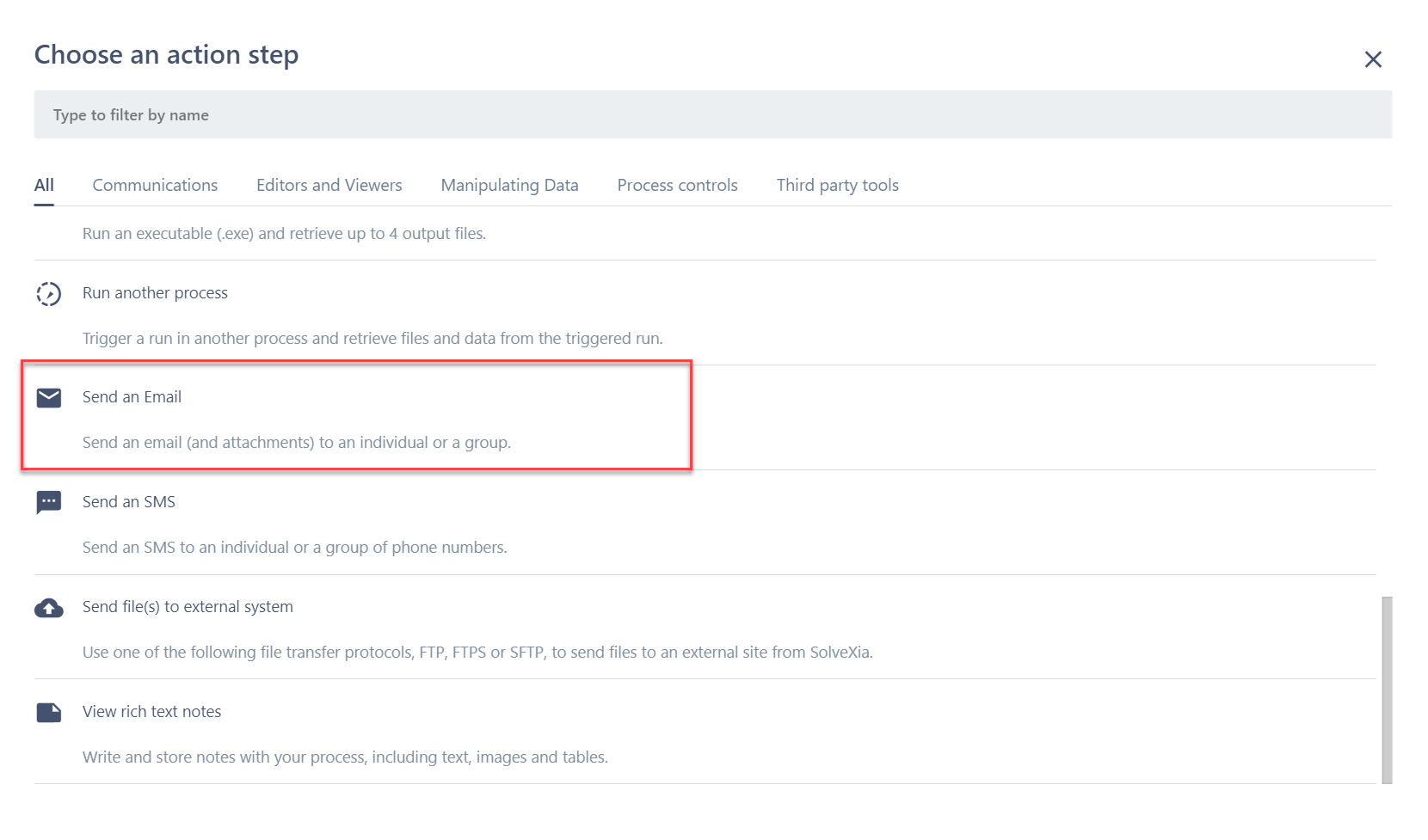
- Click on “Send an Email” from the “Choose an action step” window
- Once the step is added in the process, it appears in the operation group
- Configure the Send an Email step (you can read more about this here).
Comments
0 comments
Please sign in to leave a comment.