
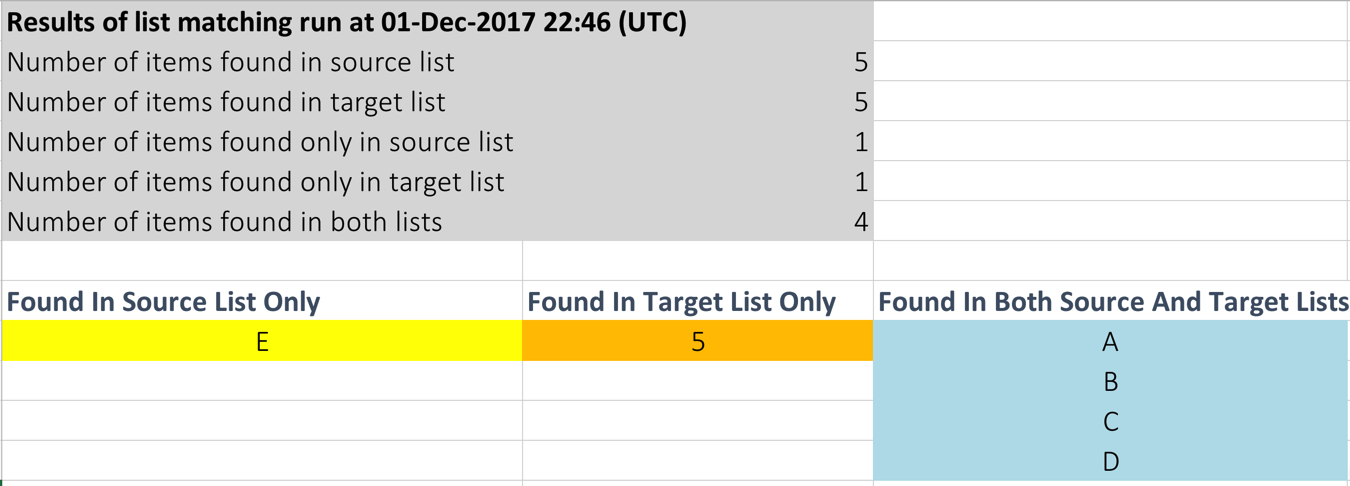
The match list instruction allows you to compare one cell range (source) with another cell range (target). It then generates a ‘diagnostics’ worksheet (inserted to the end of the target file) which summarises:
- Values found only in the source range; and
- Values found only in the target range; and
- Values found in both ranges
For example, imagine you wanted to compare the following ranges:
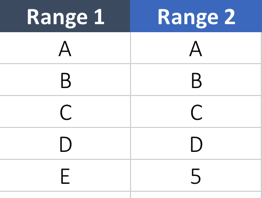
The result of the match list instruction would show:
Steps
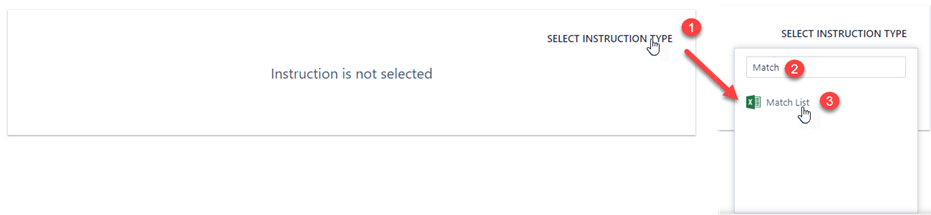
1. In an Manipulate Data action step, click on "Select Instruction Type" and search for "Match" and select "Match List" instruction
2. Select the source range, being the first range that you want to compare.
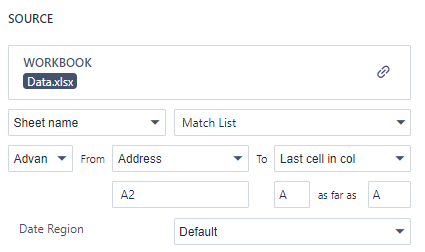
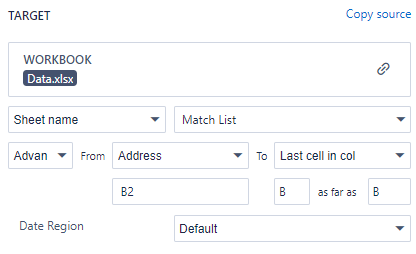
3. Select the target range, being the second range that you want to compare.
4. Provide a name for the worksheet that will contain the diagnostics (the sheet will be added to the target file).
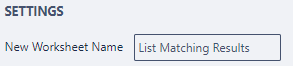
5. Run the step and download the target file and review the diagnostics worksheet (e.g. "List Matching Results").

Comments
0 comments
Please sign in to leave a comment.