
The Create unique value list can be used to generate a column of values that extract only the distinct values in the source data.
This can be useful when creating mapping tables or generating reports for each unique department.
Creating the step
Firstly, create an action step to manipulate data and select "Create unique value list":
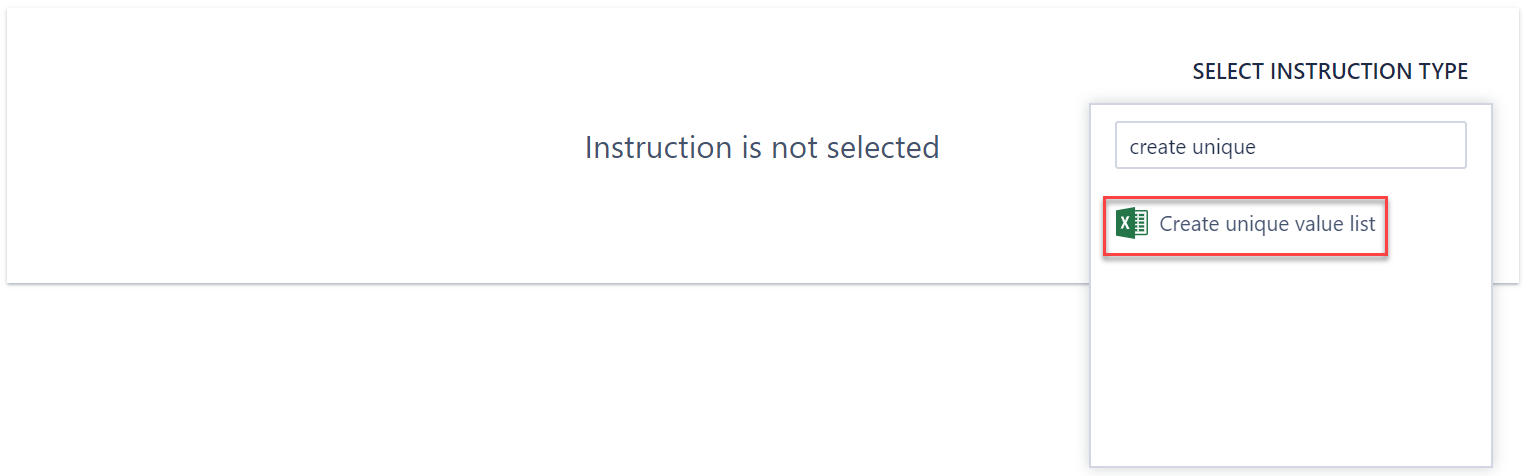
You will then need to configure the instruction below.
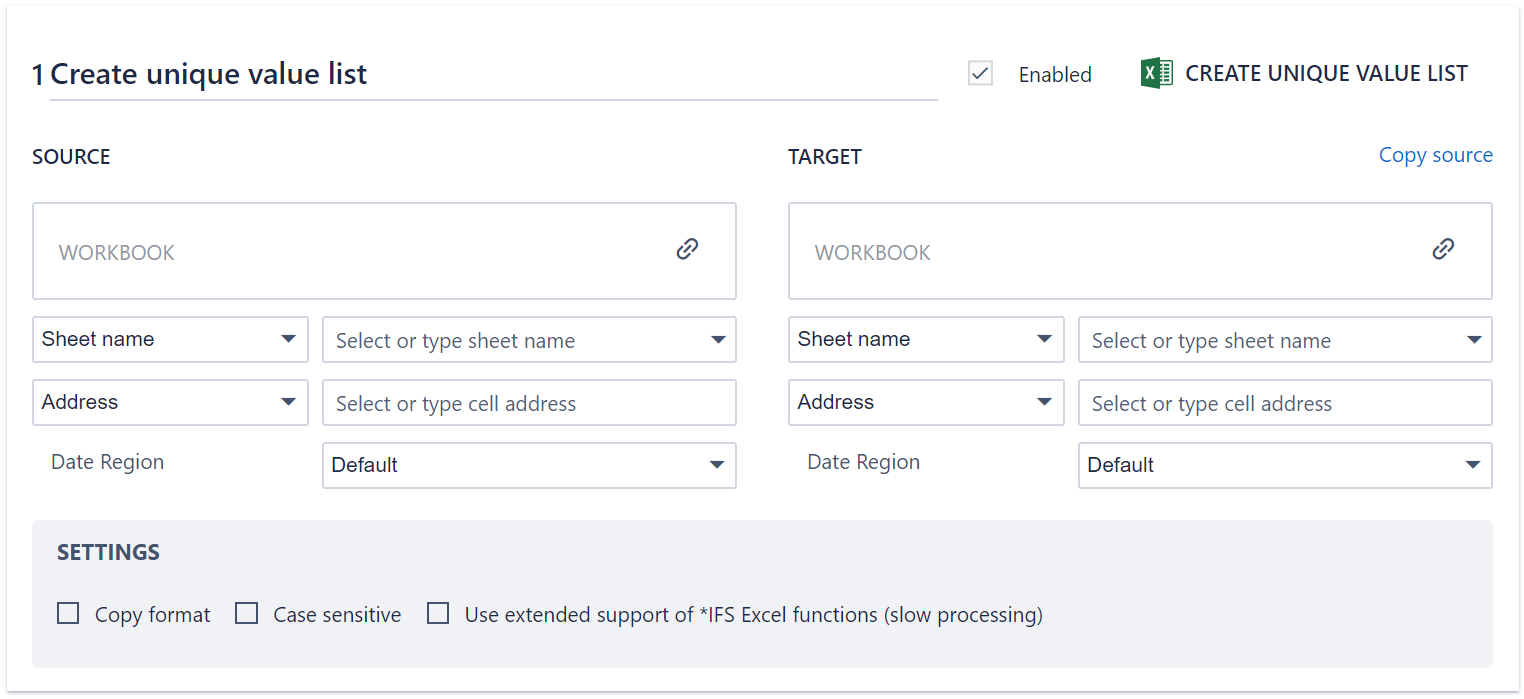
The Source (on the left) indicates the data (workbook, worksheet and cell address) that you wish to extract the unique values from.
The Target (on the right) indicates the location that you wish the unique value list to be pasted (workbook, worksheet and cell address).
There are additional options at the bottom to indicate whether you'd like to also copy the format of the relevant cells, as well as whether case sensitivity is considered as a factor when determining uniqueness.
Note: If you are extracting a unique combination of values from multiple columns, then the source data should be structured such that those columns are next to each other.
Comments
0 comments
Please sign in to leave a comment.