
The update cell formulae instruction allows a user to update a range of cells with a particular formula. Only one formula can be configured into the instruction. However, the instruction, when run, would enter the formula into the cell at the start of the range and then ‘drag’ that formula down to the end of the range (as you would do in Excel itself).
Before we get started
Please also create a ‘Manipulate Data’ action step so that you can add and use instructions.
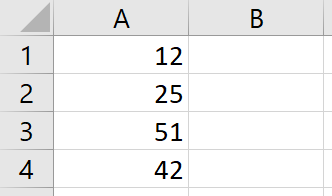
The target file that we are going to use resembles the following image.
Step-by-step guide
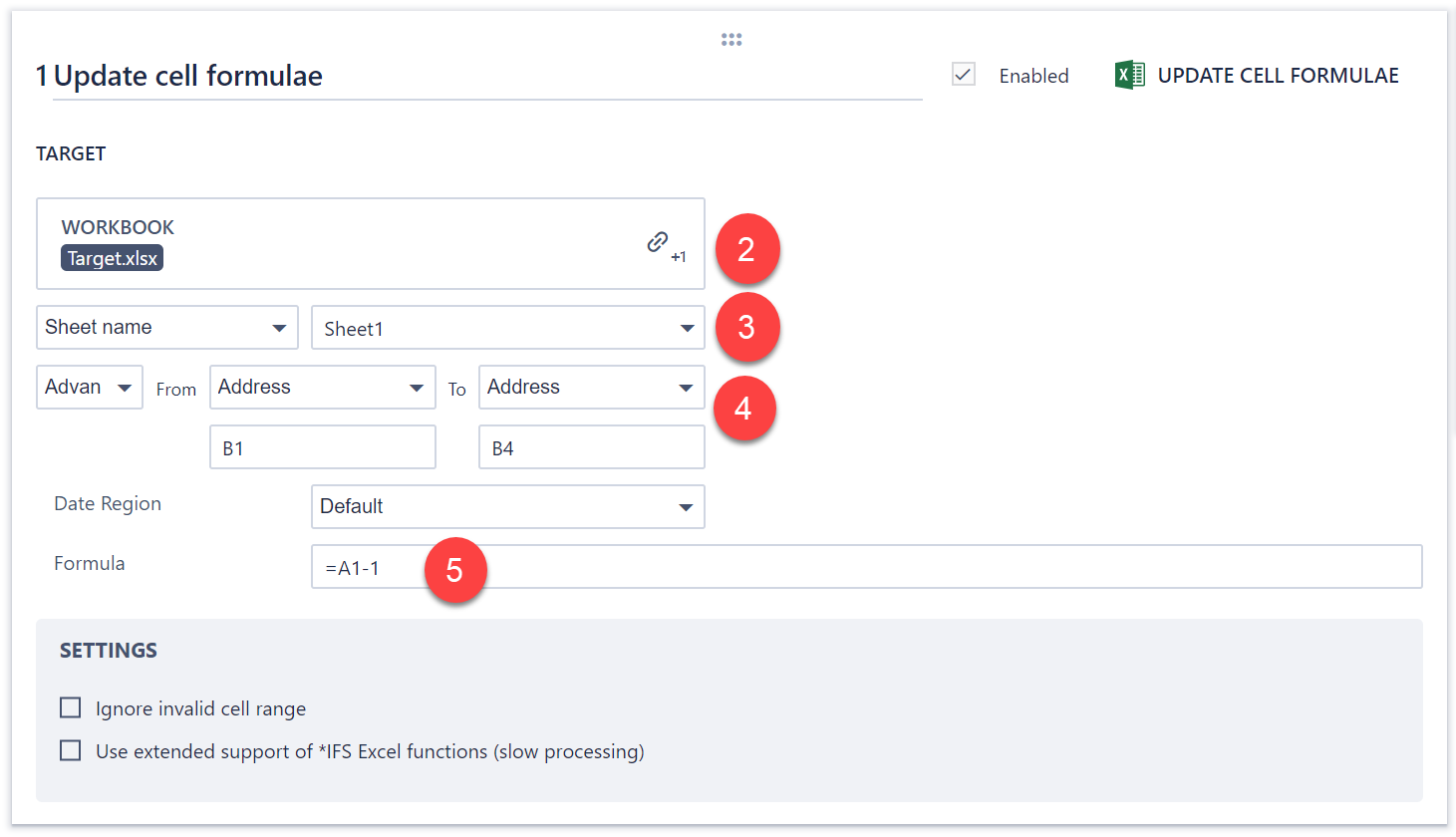
1. Create an Update cell formulae instruction.
2. Link the file named “Target” as the target file.
3. Use Sheet1 from the target file.
4. Use an Advanced Range from cell B1 to cell B4.
5. Type “=A1-1″ into the Formula field.
5. Save and run the step.
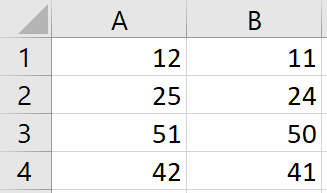
6. After the step finishes running, download and open the target file. As you can see, the cell at the start of the range was updated with the formula specified, and the formula was dragged down to the end of the range:
Comments
0 comments
Please sign in to leave a comment.