
When building a process, it is important to review your files as they are manipulated by the action steps. In addition to downloading files to your desktop, you can preview files directly within SolveXia. The preview works with Excel, CSV and PDF files and can be accessed via any action step:
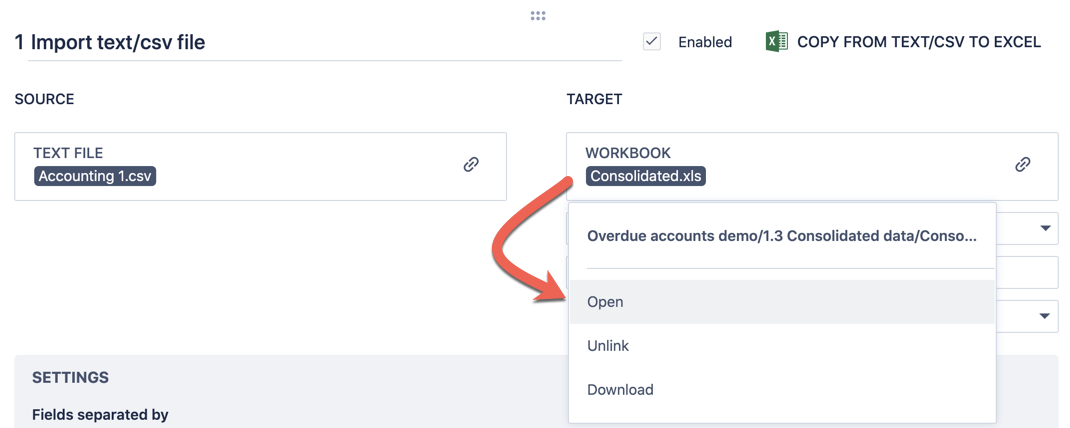
1. Within an action step, click on either the source or target file and select "Open":
2. The file preview will open in a new tab in your browser:
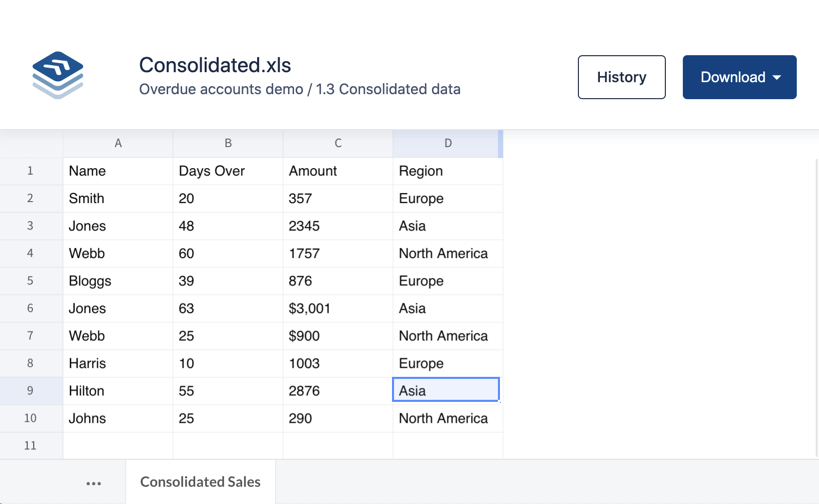
The file previewed is not intended to replace Excel or the work you do outside of SolveXia (e.g. by downloading files from your process). Rather, the aim of this feature is to provide a "peek" at your file while you are building a process. The preview does not show:
- Cell formatting
- Underlying formulas
- Charts
- Pivot Tables
Comments
0 comments
Please sign in to leave a comment.