
Use Clear step properties action step to clear properties of data steps. It is important to note that:
- If this step is used in a run and is not linked to an external process, it will only clear the properties for the run (rather than the initial process).
- If this step is linked to an external process, it will only clear the initial process's property (and not the run copies).
How to add Clear step properties step to the process
1. Open the process.
2. Click on the group menu and select Add action step menu item.
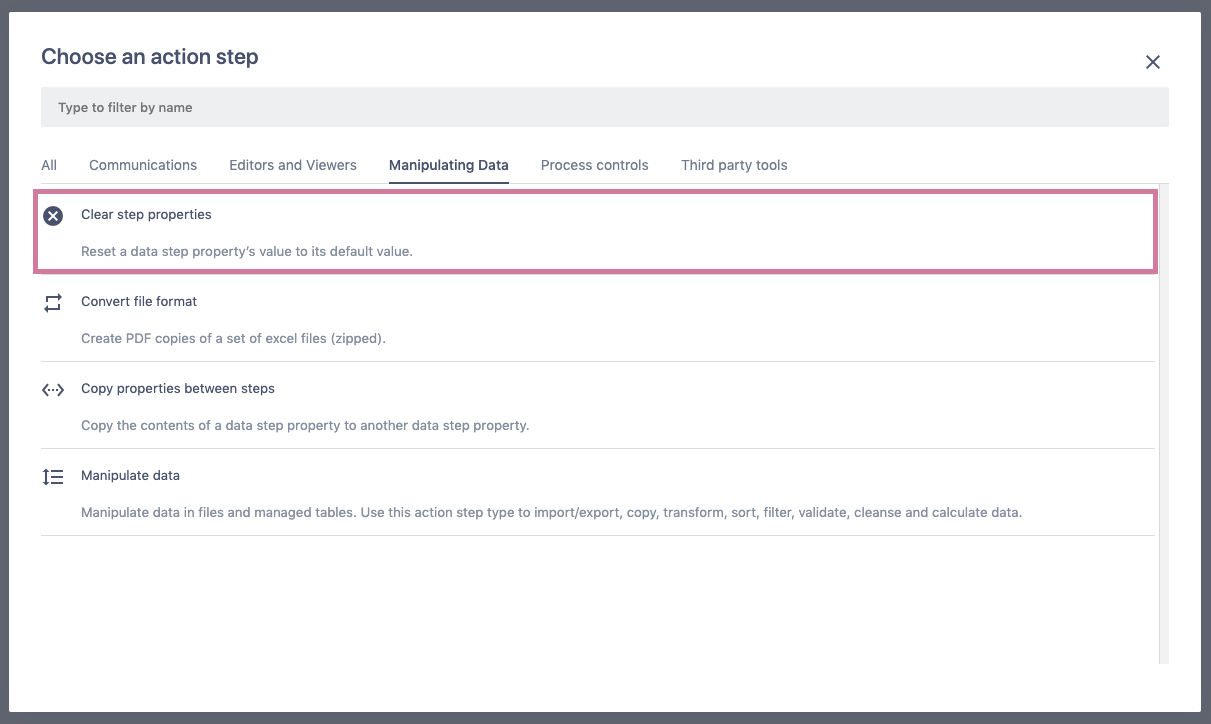
3. Choose the step type Clear step properties. Search for its name in the filter field or use Manipulating Data list as a shortcut.
4. The step will appear in the group and on the screen for further configuration.
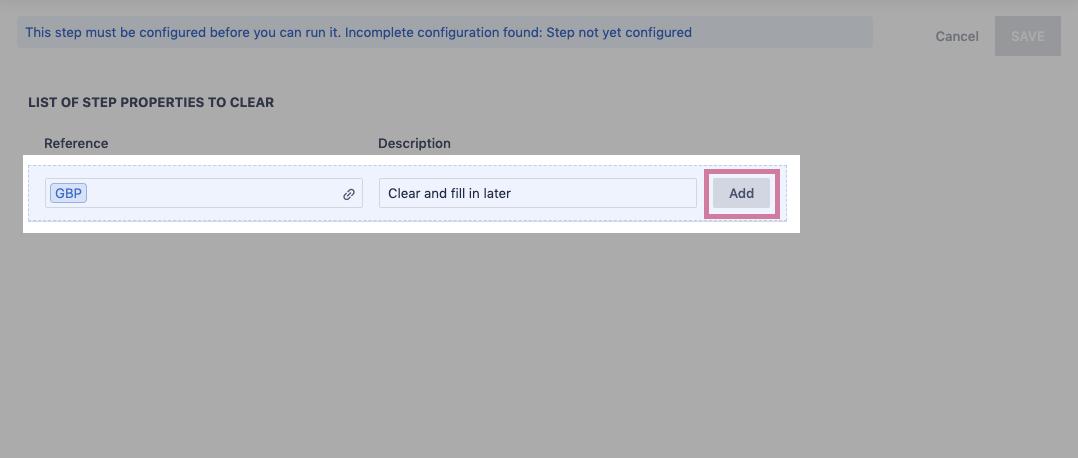
5. Link a data step property to the Reference field, enter optional Description.
6. Click Add.
- The item will appear in the list.
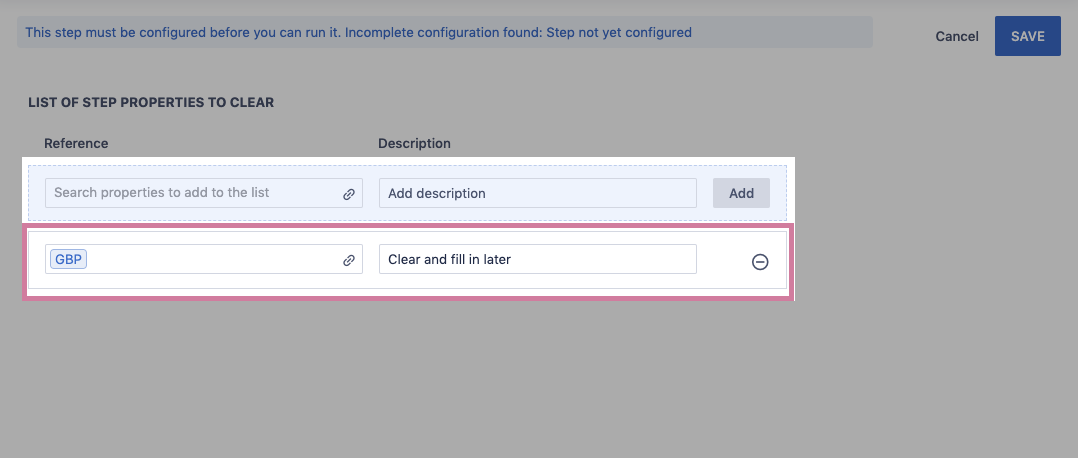
7. Click Save.
Comments
0 comments
Please sign in to leave a comment.